WheelMates Two-player co-op setup
Online, split-screen, Friend's Pass, Remote Play Together, controllers, and why Discord replaces in-game voice.
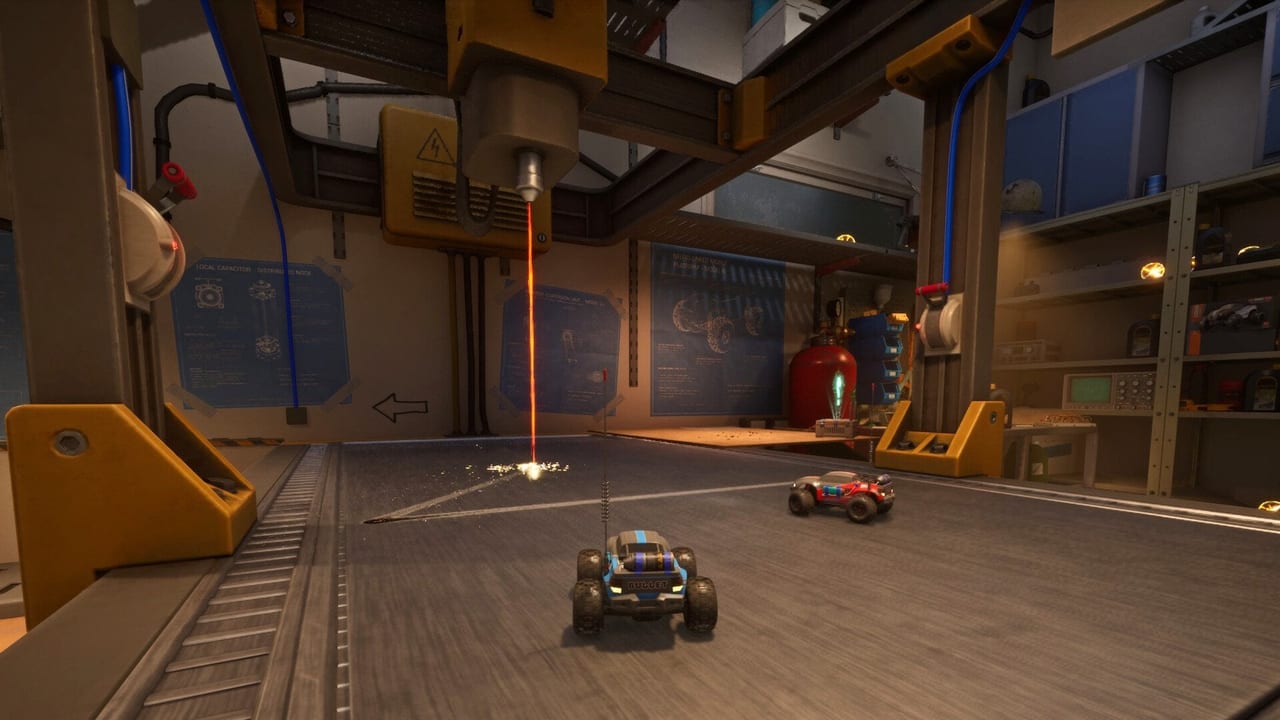
WheelMates is two players or it is not WheelMates. There is no solo campaign, no AI partner, and no four-car chaos. Firevolt shipped online co-op and local split-screen together on 1 September 2026, with Friend’s Pass so one Steam copy covers both drivers. This page is the session checklist: how those modes differ, what to plug in, how Remote Play Together fits, why voice lives in Discord, and what to do when keyboard player two cannot rebind.
If the game will not launch at all, you want system requirements first (DirectX 12, 15 GB, RC Together logs). If you only need price and length, use the Launch FAQ. If you already spawned in the house, skip this and go to Getting Started.
Online versus local split-screen
Online. Two PCs, or a PC and a Deck, each with a driver. The owner starts, the guest joins through Friend’s Pass. Broadband is on the spec sheet because the cars share a house, not because this is a shooter. Sit in Discord before you sit in the lobby. There is no in-game voice chat; Firevolt’s own Q&A sends you to Discord, or to talking across a couch.
Local split-screen. One PC, two drivers, one screen. You need a second controller. This is the mode the May 2026 demo added after playtesters asked to sit together. It is also the mode that makes a living-room Deck session work. Split-screen is not “local only” — the game still has online — but it is the path that does not care about NAT.
Pick one per night. Mixing “I host online and also split the host screen” is how people confuse Friend’s Pass with Remote Play Together.
Friend’s Pass
Friend’s Pass means one purchase, two players. The guest does not buy the $19.99 campaign (or the discounted $17.99 through 15 September 2026). They join as a guest, online or on the couch. That is the whole economic trick for a mandatory duo.
The pass does not grant a solo sandbox when the guest hangs up. If the second person leaves, the house is not a single-player game. Pause and wait, or quit together.
Controllers, DualSense icons, and keyboard P2
Full controller support is the intended local setup. DualSense pads get proper button icons in the UI as of the demo handling patches. Xbox-style pads work. Two pads on one PC is the split-screen default.
Keyboard player two is the known sharp edge. Split-keyboard rebinds can fail to stick, overlap player one, or leave P2 without a clean “unstick” control when a car wedges under a chair. Do not learn the Garage on that layout. Plug in a pad for P2, or move P2 to online on their own machine. If you insist on two keyboards, rebind P2 before you enter a room, test in the Kitchen, and be ready to restart the session when a bind vanishes.
Host should clear conflicting binds so one keyboard cannot drive both cars. That sounds obvious until someone leaves WASD and arrows live on the same device.
Remote Play Together
Steam Remote Play Together is supported at launch. The owner streams the game; the guest drives as a second local player over the network. Use it when the guest cannot install, when Friend’s Pass is confusing, or when you already use Remote Play for other couch titles.
Latency is the tax. Rope swing hookshots and magnet grab toggles feel worse with delay than floor driving does. If swings keep missing, stop streaming and use native online co-op. Remote Play is a gift for convenience, not the best input path.
Voice: Discord, not the game
There is no in-game voice. Firevolt recommends Discord for online pairs and literal talking for split-screen. Join the official server if you need a partner; that is also where patch talk lives. A horn from the customization page is a gag, not a radio.
Discord on a phone saves RAM on minimum spec (8 GB). Discord on the same PC is fine on recommended spec (16 GB). Neither is optional if you cannot see each other’s screens.
A short boot order
- Confirm DX12 and install size on system requirements.
- Decide online, split-screen, or Remote Play Together.
- Owner launches; guest uses Friend’s Pass or sits down with a pad.
- Open Discord if you are not on the same couch.
- Rebind only if you must; prefer two controllers locally.
- Drive the Kitchen, then the Garage.
Gadgets do not change this order. Magnetic wheels still need two people on two surfaces. The Walkthrough assumes the session already exists.
When both cars move and you can hear each other, this page is finished. The rest of the wiki is the house.
Frequently Asked Questions
Quick answers for two-player RC sessions.
Can I play WheelMates solo?
No. The design is mandatory two-player co-op. Friend's Pass only removes a second purchase.
Do we both need to buy the game?
No. One Steam copy plus Friend's Pass covers two players, online or in local split-screen.
Is there in-game voice chat?
No. Use Discord online, or talk across the couch in split-screen. The official Discord is also the LFG board.
Why can't player two rebind the keyboard?
Split-keyboard P2 binds are a known headache. Use a second controller for local play, or put P2 on their own PC online.
When should we use Remote Play Together?
When the guest cannot install or you already live in Steam streaming. Prefer native online if hookshots feel late.
Does split-screen work on Steam Deck?
Yes, with a second controller. Deck is supported at launch. You still need two humans. Specs: system requirements.