Getting Started with WheelMates
One Steam copy, two drivers, and a first hour in Professor Bloom's Kitchen.
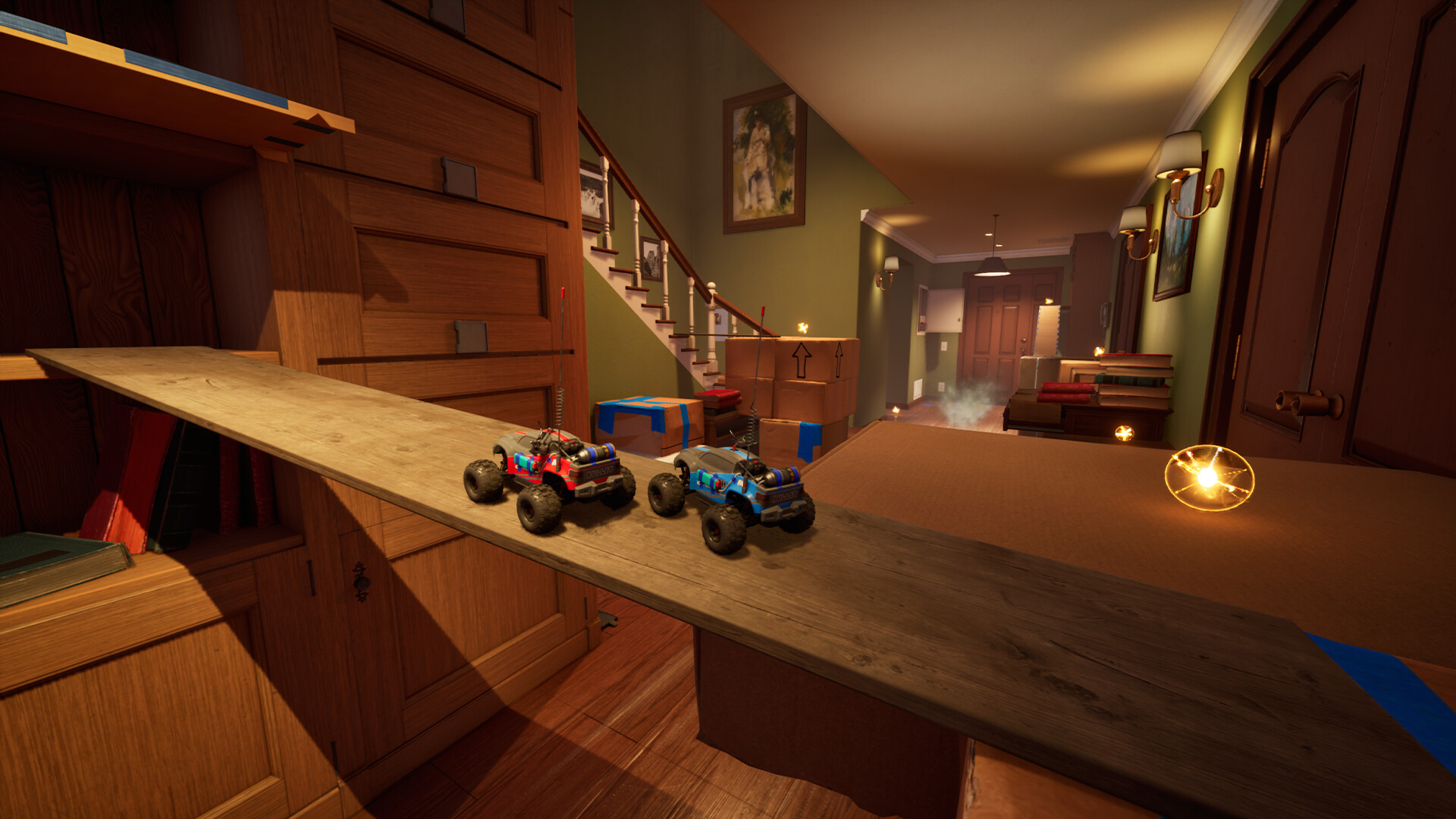
WheelMates released on Steam for PC and Steam Deck on 1 September 2026, a week earlier than the 7 September date Firevolt first announced. You cannot boot a story session alone. The game is built as a two-player co-op from the first radio call to the last hidden room, so the real getting-started problem is social as much as mechanical: buy a copy, find a second driver, and agree how you will talk. This page covers purchase, Friend’s Pass, Discord pairing, and the first hour in the Kitchen.
If you already own the game and just need handling help, skip to How to Play. If you want the house’s puzzle grammar instead of shopping advice, use the walkthrough. Everyone else should treat the checklist below as the actual tutorial Firevolt cannot ship: two humans, one house, no combat.
Buy the game (or join without buying)
The standard price is $19.99, with regional equivalents on the Steam store page. A 10% launch discount runs until 15 September 2026. Steam also lists a Supporter Edition bundle that adds the Supporter Pack: an exclusive car model and extra skins. That pack is cosmetic. It does not skip puzzles or unlock gadgets early.
You need exactly two players. There is no AI partner and no plan announced for groups larger than two. Online co-op and local split-screen are both in the launch build. Steam Remote Play Together is supported if you want to stream a local session to a friend who is not installing the game as a guest. Split-screen on one PC is the cheapest couch setup: one copy, two controllers, talk across the room.
Friend’s Pass is the long-distance answer. One person buys the full game. The second person downloads the free Friend’s Pass listing from Steam and joins as a guest. That guest can play the full campaign with the host. You do not need two libraries unless you both want to host, gift the game later, or keep it when you are not in the same session. Details and caveats live on the Friend’s Pass page so this guide does not repeat the same legal-sounding paragraph.
Find a partner if you do not have one
Firevolt’s official Discord is the studio’s own matchmaking board. There is no in-game voice chat. The developers tell you to use Discord for online play, or just speak if you are on the couch. That is not flavor text. Puzzles in the Kitchen already ask one car to hold a switch, cover, or hazard while the other crosses, and later rooms split machines across two stations. Text chat in Steam overlay is a last resort, not a plan.
Post your region, platform (PC or Steam Deck), and whether you want online or split-screen. Agree on controllers before you load in. Full controller support is recommended, with Xbox and DualSense icon prompts. Keyboard is possible. Keyboard split-screen, especially rebinding player two, is a known pain from the demo and early launch reports. If you have two pads, use them.
First-hour plan: the Kitchen, not the whole house
The opening stretch is the Kitchen. The public demo used this room as the tutorial and then opened the Garage. Treat the Kitchen as a driving lesson disguised as a lab. Learn throttle, steering, jump, and the first power-ups on tabletops, shelves, and the clutter under the sink. Do not sprint for the next door. There are no timers. The house will wait.
Watch the top-right of the HUD for objectives. Listen for audio hint devices: radios and nodes that carry Professor Everett Bloom’s voice. The Journal, added during the demo’s Next Fest update, stores story fragments so you can keep driving and still catch up later. Scannable objects and memory cards (the demo called out SD-style cards) sit off the critical path. Grab them if you see them, then come back with gadgets from secrets if a ledge is obviously gated.
Pick a base color at the start. Other customization pieces (wheels, antenna, horn) hide in the house as you explore. You will not finish a drip of cosmetics in the first hour, and you should not try. The first gadgets matter more: they reopen old corners of the Kitchen once you understand magnet wheels, the winch, or grab tools. The Garage is where magnet grab and rope swing become the main verbs.
Session setup that saves a restart
Confirm DirectX 12 before you invite anyone. Minimum spec is Windows 10/11 64-bit, Core i5-8400 or Ryzen 5 2600, 8 GB RAM, GTX 1060 or RX 580, and 15 GB of space. Recommended is Core i7-10700K or Ryzen 7 3700X, 16 GB, RTX 3060 or RX 6600 XT. Steam Deck is supported; some demo players still reported rough portable performance, so test a Kitchen circuit before you promise a four-hour date.
Open camera settings on the title screen. Follow camera is the default after Firevolt moved off a purely manual right-stick setup. Free camera still exists. Steering sensitivity and throttle can be tuned. Handling patches already made steering faster, reduced the hard brake when you lift off throttle, and improved wall slides. If the car still feels like it is fighting you, that is a settings problem, not a missing combat tutorial. There is no combat.
Decide who hosts. For Friend’s Pass, the owner hosts. For two owned copies, pick the more stable connection. For split-screen, plug both pads in before you sit through the intro. Bind player two while you can still see the menu. If someone falls off a counter, use the stuck/reset option from the pause menu instead of restarting the room. Demo players described an “I’m stuck” explode-and-reset; use whatever the launch build labels it, then keep talking.
What not to do on night one
Do not wait for a solo mode. Do not wait for PlayStation 5, Xbox Series, or Switch: those versions are planned for the first half of 2027. Do not assume the demo’s two rooms are the whole game. Do not skip Discord because “we will figure it out in text.” Do not spend the first hour hunting every antenna if your partner still cannot turn. The launch review can wait until you have cleared the Kitchen together.
When the linoleum starts to feel small, you are ready for the Garage’s open floor and hidden paths. If a puzzle still reads like noise, the walkthrough explains hold-hazard, two-station machines, and asymmetrical roles without spoiling later wings that the community is still mapping. The house is player-driven. Your first hour should be too: buy or join, pair up, drive the Kitchen, and only then start arguing about who gets the cooler horn.
Frequently Asked Questions
Quick answers for two-player RC sessions.
Is WheelMates out, or do I still need to wait?
It is out. Steam PC and Steam Deck launched on 1 September 2026. Firevolt moved that date up from 7 September. Console versions are a 2027 plan, not a PC delay.
Can I start the campaign by myself?
No. There is no solo mode and no AI teammate. Use Friend's Pass or split-screen, and find a partner on the official Discord if you do not have one.
What should we play first?
Do we both need to buy the game?
Only one purchase is required for a full online session if the second player uses Friend's Pass. Split-screen on one PC also uses a single copy.
Where do we talk if the game has no voice chat?
Use the [official Discord](https://discord.com/invite/wheelmates) or any voice app you already share. Couch players can just speak. Steam text is a backup, not a substitute for timing puzzles.
How long is the first session?
Budget an evening. The full story is about six hours, or about eight with secrets. The Kitchen-plus-Garage demo already ran close to two hours for careful pairs, so do not schedule a "quick twenty minutes."