How to Play WheelMates
Controllers, cameras, split-screen, and the co-op habits the house actually demands.
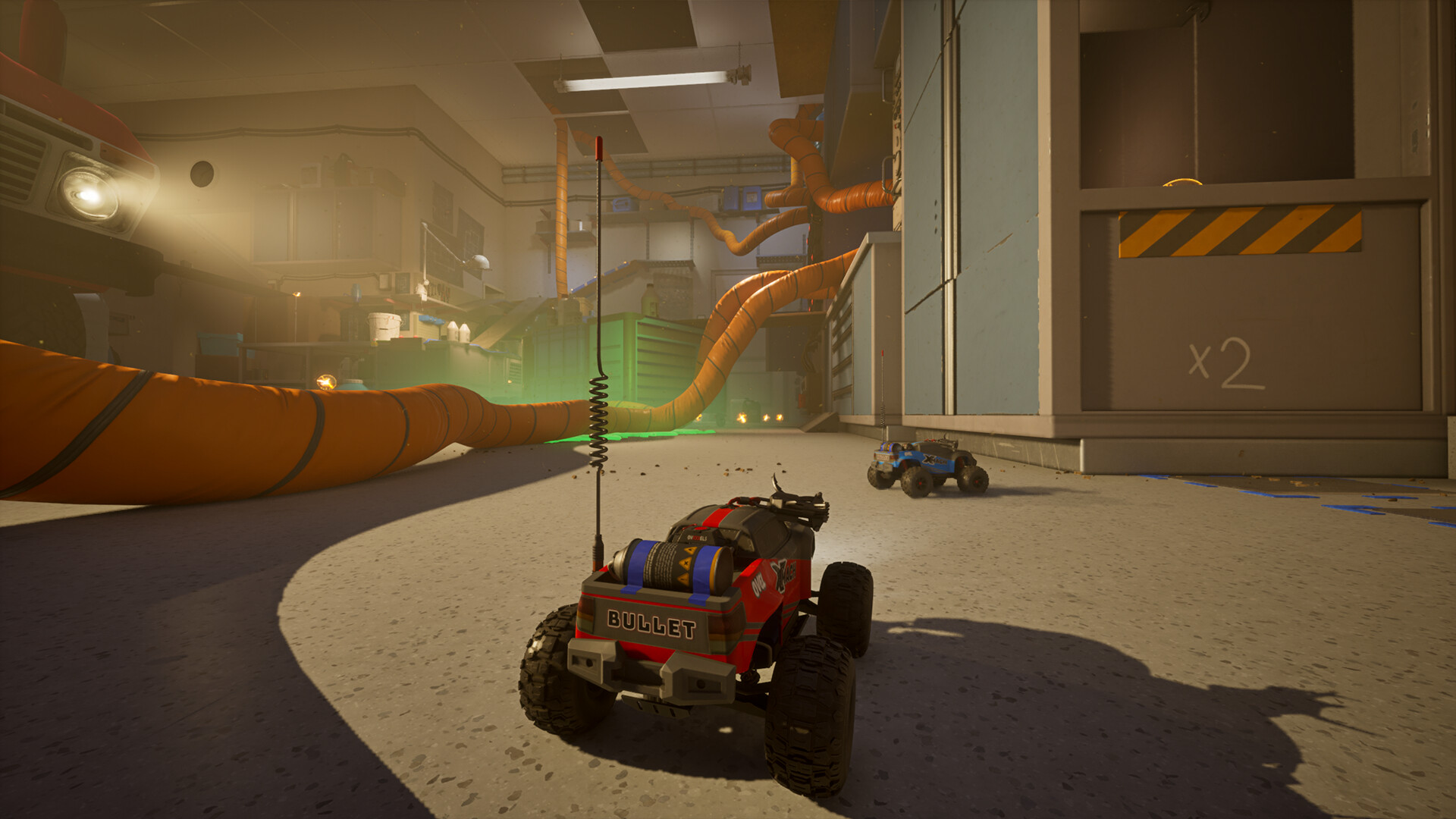
WheelMates is a driving puzzle, not a racer and not a brawler. There is no combat. There are no fail-state clocks. Professor Everett Bloom’s house waits while you argue about a lever. What it will not do is steer the second car, aim your camera, or host a voice server. This page is the practical How to Play layer on top of Getting Started: inputs, camera, split-screen, handling patches, and communication. If you came here from a wall in the Kitchen or Garage, start with the controller section before you assume the puzzle is broken.
Firevolt recommends a controller. The Steam page advertises full controller support with Xbox and DualSense icon prompts. Keyboard works. Keyboard plus a second keyboard player in split-screen is the setup that demo pairs complained about most, especially when player two needed a clean rebind. Two pads on one PC, or one pad per online client, is the default we assume below.
Driving, not shooting
Throttle and steer are the whole verb set until gadgets arrive. Jump exists for curbs, books, and the lip of a counter. A handbrake-style slide helps you settle on a button or line up a ramp. You are tiny, so a vase is architecture and a fridge hose is a highway. Handling patches after the early playtest made steering snappier, reduced the sudden brake when you released throttle, and improved wall slides. If the car still feels like it is dragging an anchor, open sensitivity and throttle settings before you blame the room.
Gadgets change the same chassis instead of replacing it. Magnetic wheels let you drive metal walls and ceilings. The winch, rope swing, and hookshot cover gaps, yank levers, and latch onto marked points. Magnet grab is a toggle: pick up covers, drag objects, and park a piece where your partner can use it. You unlock these as you progress, then take them back into rooms you already “finished.” That loop is the campaign. The walkthrough names the puzzle types. This page is about not crashing while you use them.
Air stunts and drifts showed up in the reworked demo physics. They are toys, not a scoring system. Mini-games later in the house exist so you can settle who is the better driver. They are optional relative to the story clock. Do not treat every shelf as a time trial. The design is player-driven on purpose.
Camera: follow first, free when you need it
Early playtests used a more manual right-stick camera. Firevolt then shipped an automatic follow camera and kept free camera as an option. Demo reviews still called the view sensitive, especially in tight Kitchen turns where the car rotated faster than the frame. That complaint is fair. It is also partly a settings problem.
Start in follow mode for driving. Drop sensitivity until a 90-degree table turn does not whip the horizon. Switch to free camera when you are hunting a pipe, a ceiling magnet, or a second station you cannot see from bumper height. There is no first-person camera mode; Firevolt said they have no plans for FPV. If you are online, describe what you see instead of assuming both screens share a cinematic. Split-screen already splits attention. Call out “left burner” and “under the island” instead of “over there.”
If you fall off a counter, do not mash restart. Pause and use the stuck reset. Demo players described an “I’m stuck” option that explodes the car back to a recent position, plus a quick reset after a fall. Use the launch labels you actually see. The point is the same: the house is large, the cars are small, and recovery is part of the control scheme.
Controller versus keyboard, online versus split-screen
Online: each player uses their own machine, their own pad or keyboard, and their own camera. This is the cleanest input setup. The cost is netcode. Demo players reported desync in some online sessions: cars appearing in different places, puzzle states firing out of order. Firevolt closed the demo in early August to focus on the release build. If you hit desync at launch, swap host, drop to split-screen, or try Remote Play Together rather than grinding a two-station puzzle on two different physics worlds.
Local split-screen: one PC, two players, one copy. Plug both controllers in before the menu. Confirm that player two has a unique bind set. Keyboard split-screen is the painful path: player two often inherits leftover keys, and rebinding in a hurry is how Kitchen nights end early. If you only have one pad, give it to the player who is worse at analog steering and let the other take keys, or use Remote Play Together so the guest can use a pad on their own machine while you still share one game instance.
Steam Deck is supported and is a natural couch host. Test the Kitchen for heat and frame pacing before you promise a full six-hour story. DirectX 12 is required on desktop. Minimum and recommended specs are on Getting Started; this page only cares that a stuttering host makes magnet-toggle puzzles feel like the grab is “random.”
Communication is a control
There is no in-game voice chat. Firevolt’s own FAQ points you at Discord for online pairs and at literal talking for split-screen. Puzzles are built around that. One player holds a hazard, cover, or switch. The other crosses, jumps, or drives a wall. Crane and pipe machines put forward-back on one station and up-down on the other, like a claw game. If you cannot hear each other, you will solve the room by accident or not at all.
Agree on a tiny callout language before the Garage’s open floor. Name landmarks (sink, radio, yellow ramp, ceiling magnet). Call gadget state (“grab on,” “grab off,” “wheels magnetized”). Call intent (“I hold, you go”). The HUD keeps objectives in the top-right; read them out loud when they change so both of you notice. Audio hint devices will chatter. They are clues, not a substitute for “I am on the left panel.”
Customization does not change handling in a competitive sense. Base color is chosen at the start; wheels, antenna, and horn hide in the house. Pick cosmetics later on the secrets route. For night-one driving, a readable color that your partner can spot on a cluttered desk is worth more than a rare horn.
When the cars finally feel like yours, go back to the Kitchen and then the Garage with gadgets you did not have the first time. The walkthrough is next if you understand the sticks and still cannot read a two-station machine. WheelMates only clicks when both of you can turn, look, and talk. Everything else in Bloom’s house is just a bigger version of that sentence.
Frequently Asked Questions
Quick answers for two-player RC sessions.
Is a controller required?
It is strongly recommended. WheelMates has full controller support with Xbox and DualSense prompts. Keyboard works, but split-screen keyboard binds for player two are a known headache.
Why does the camera feel too sensitive?
Demo players said the same. Use follow camera with lower sensitivity for driving, and free camera when you need to scan a ceiling or a second station. There is no FPV mode.
Is there combat or a timer?
No combat and no timers. The house is the challenge. You fail by missing a co-op beat or driving off a counter, not by running out of a clock.
How do we talk while playing?
The game has no voice chat. Use Discord for online co-op, or talk across the sofa in split-screen. Timing puzzles assume you can hear each other.
What changed in the handling patches?
Steering got faster, lifting off throttle brakes less harshly, and wall slides feel more predictable. Tune steering sensitivity and throttle if the car still fights you.
Split-screen or online for a first run?
Split-screen is simpler for voice and physics. Online is fine with Friend's Pass if you keep a voice call open. If online desyncs, switch host or try Remote Play Together.